 Quick Comet
Custom Website vs Template: ROI Guide [2025]
Introduction
"Should I use a template or build a custom website?"
This is the first question every business owner asks when launching or redesigning their website. The wrong choice costs you money, time, and competitive advantage.
Here's what most articles won't tell you: Templates aren't always cheaper in the long run, and custom websites aren't always better. The right choice depends on your specific business goals, budget, and growth timeline.
In this guide, you'll learn:
- True cost comparison (upfront + hidden costs)
- When templates make sense vs. when custom is worth it
- ROI analysis framework for your specific situation
- Real case studies showing the financial impact
- Decision checklist to make the right choice
By the end, you'll have a data-driven framework to decide which option delivers the best return on investment for YOUR business.
What's the Difference?
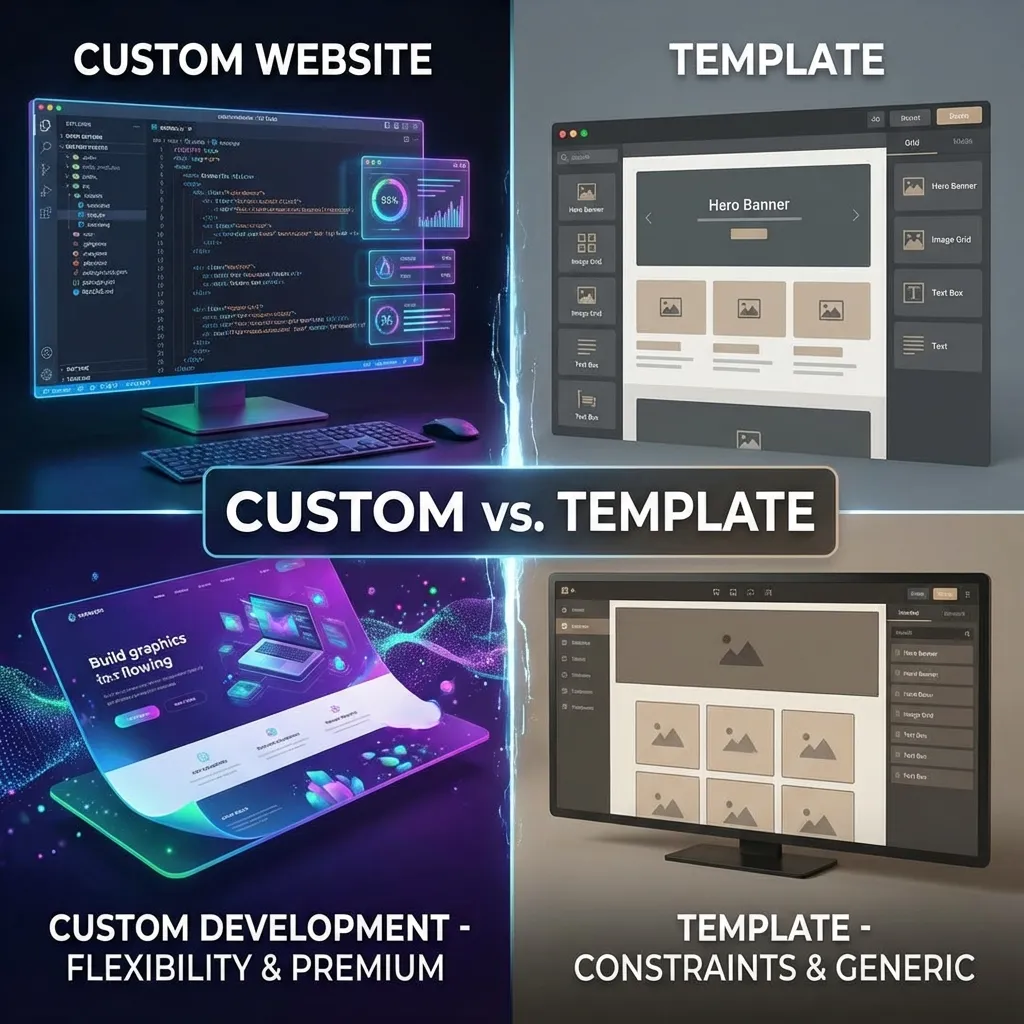
Template Website
A pre-designed website layout purchased from platforms like WordPress (ThemeForest), Shopify, Wix, or Squarespace. You customize content, colors, and images but the structure and code are pre-built.
Characteristics:
- Pre-designed layouts (choose from thousands)
- Drag-and-drop customization (limited)
- Built-in features and plugins
- Quick setup (days to weeks)
- Lower upfront cost ($50-$500 for template)
Custom Website
A website designed and coded specifically for your business from scratch. Every element—layout, functionality, design—is tailored to your unique needs.
Characteristics:
- Unique design (no other business has it)
- Unlimited customization (anything is possible)
- Built for your specific workflows
- Longer development time (weeks to months)
- Higher upfront cost ($5K-$100K+)
Quick Comparison Table
| Factor | Template | Custom |
|---|---|---|
| Initial Cost | $50-$2,000 | $5,000-$100,000+ |
| Setup Time | 1-4 weeks | 4-12 weeks |
| Customization | Limited (theme constraints) | Unlimited (anything possible) |
| Uniqueness | Looks like other sites | Completely unique |
| Technical Skill | Low (drag-and-drop) | High (requires developer) |
| Scalability | Limited by template | Built to scale |
| Performance | Variable (bloated code) | Optimized (lean code) |
Cost Comparison: Total Investment
Template Website Costs (Year 1)
Upfront costs:
- Template purchase: $50-$200
- Domain name: $10-$20/year
- Hosting: $50-$500/year
- Setup (hired): $500-$2,000
Ongoing costs:
- Platform fees: $200-$600/year
- Premium plugins: $100-$500/year
- Maintenance: $200-$1,000/year
Total Year 1: $1,000-$5,000
Total 3-Year Cost: $2,000-$10,000
Custom Website Costs (Year 1)
Upfront costs:
- Design & Development: $7,000-$50,000+
- Content creation: $500-$5,000
- Hosting (cloud): $200-$2,000/year
Ongoing costs:
- Hosting: $200-$2,000/year
- Maintenance: $1,000-$5,000/year
- Security: $200-$1,000/year
Total Year 1: $10,000-$75,000
Total 3-Year Cost: $15,000-$100,000+
Hidden Costs People Forget
Template Hidden Costs:
- Premium features (paywall)
- Transaction fees (2-3%)
- Developer fees for fixes
- Migration costs later
Custom Hidden Costs:
- Scope creep
- Maintenance overhead
- Training costs
- Developer dependency
Pros & Cons Analysis
Template Websites
Pros:
- Fast Launch: Get online in days, not months.
- Lower Upfront Cost: Better for bootstrapped startups.
- No Technical Skills Required: Drag-and-drop editors.
- Built-In Features: Contact forms, galleries, etc. pre-built.
Cons:
- Limited Customization: Stuck with template structure.
- Looks Like Competitors: Blending in, not standing out.
- Performance Issues: Bloated code hurts SEO.
- Scalability Challenges: Need to rebuild later.
Custom Websites
Pros:
- Unique Brand Identity: Stand out from competitors.
- Unlimited Functionality: Build exactly what you need.
- Better Performance: Lean, optimized code.
- Scalability Built-In: Designed to handle growth.
- Full SEO Control: Optimize every element.
Cons:
- Higher Upfront Cost: Significant investment.
- Longer Timeline: 4-12 weeks minimum.
- Requires Technical Expertise: Need developers for changes.
ROI Analysis Framework
ROI Formula: ROI = (Revenue Generated - Total Cost) / Total Cost × 100
Total 3-year cost: $5,000
Revenue generated: $50,000
ROI = 900%
Total 3-year cost: $30,000
Revenue generated: $300,000 (better conversions)
ROI = 900%
Result: Same ROI %, but custom generates 6x more absolute revenue.
The Real ROI Factors
- Conversion Rate Impact: Custom sites often convert 2x better (3-5% vs 1.5%).
- Time to Market: Template wins if speed is critical.
- Long-Term Scalability: Custom avoids expensive future migrations.
- Brand Perception: Custom enables premium pricing (10-30% higher).
Break-Even Analysis (B2B Service Business)
Template: $3,000 cost. $75,000/year revenue.
Custom: $20,000 cost. $231,000/year revenue (due to better trust & conversion).
Result: Custom pays for itself in 3 months.
When to Use a Template
- You're Testing a New Idea: Launching an MVP or testing market demand.
- You Have Limited Budget: Less than $5K available.
- Speed Is Critical: Need to launch in < 2 weeks.
- Your Needs Are Simple: Standard informational site.
When to Build Custom
- You Need Unique Functionality: Custom workflows or integrations.
- Brand Differentiation Is Critical: Premium positioning required.
- You're Scaling: Revenue >$500K or high traffic.
- Conversion Rate Matters: Spending $10K+ monthly on ads.
Case Studies: Real Business Impact
Case Study 1: E-Commerce Brand (Template → Custom)
Scenario: Fashion brand switched from Shopify template to custom.
Results:
- Revenue: $300K → $850K (+183%)
- Conversion rate: 1.8% → 3.2% (+78%)
- ROI: 1,471%
Case Study 2: Local Service Business (Template Win)
Scenario: Cleaning service chose $1,500 template over $25K custom.
Results:
- ROI: 2,900%
- Result: Template delivered everything needed. Custom would have taken 10 years to recoup.
Case Study 3: SaaS Startup (Custom Win)
Scenario: SaaS startup built custom site for Series A raise.
Results:
- Successfully raised $3M Series A
- Conversion rate: 1.2% → 4.5%
- Revenue: $50K → $180K MRR
Decision Checklist
Quick Comet's Recommendation
- Budget <$5K
- Timeline <4 weeks
- Testing new concept
- Revenue >$250K/year
- Template limitations hurting growth
- Running significant paid traffic ($5K+/month)
Our custom website service:
- Design + development: $15K-$50K
- Timeline: 4-8 weeks
- USA-based team (Sacramento, California)
Frequently Asked Questions
Yes, but expect to rebuild from scratch. Content can be migrated, but design/code usually can't be reused. Budget $5K-$15K for migration plus new custom site cost. Better to plan long-term from the start if you know you'll need custom eventually.
DIY: 1-2 weeks for basic site. Hired help: 2-4 weeks for more polished result. Custom: 6-12 weeks depending on complexity. Templates are 3-5x faster.
Not necessarily. Templates CAN rank well if optimized properly (content, speed, mobile-friendly). However, custom sites have advantage: cleaner code, faster performance, more control over technical SEO. For competitive keywords, custom often wins.
Somewhat. You can change colors, fonts, images, and some layouts. But core structure is fixed. If you want truly unique design, you'll need custom. Think of templates like renting a furnished apartment (you can decorate but can't change walls).
You'll need to rebuild custom (expect $10K-$30K). Many businesses do this around $500K-$1M revenue when template limitations hurt growth. Plan ahead: if you expect rapid growth, invest in custom from start to avoid rebuild costs.
Yes. Premium plugins ($10-$50/month each), transaction fees (Wix/Shopify: 2-3%), migration costs if switching platforms, developer fees when hitting limitations. Factor these into 3-year total cost.
Template. WordPress themes are pre-built templates, even if you customize heavily. True custom means coded from scratch specifically for you. WordPress CAN be custom if developer builds custom theme from blank slate.
Template: $200-$1,000/year (plugin updates, minor fixes). Custom: $1,000-$5,000/year (more complex, needs developer for updates). Factor this into long-term budget.
Conclusion
Template vs. custom isn't about which is "better"—it's about which delivers better ROI for YOUR specific situation.
The smart approach: Start with a template for speed and validation. Upgrade to custom when revenue and needs justify the investment. Or, if you have budget and long-term vision, invest in custom from day one to avoid costly rebuilds.
Related Articles